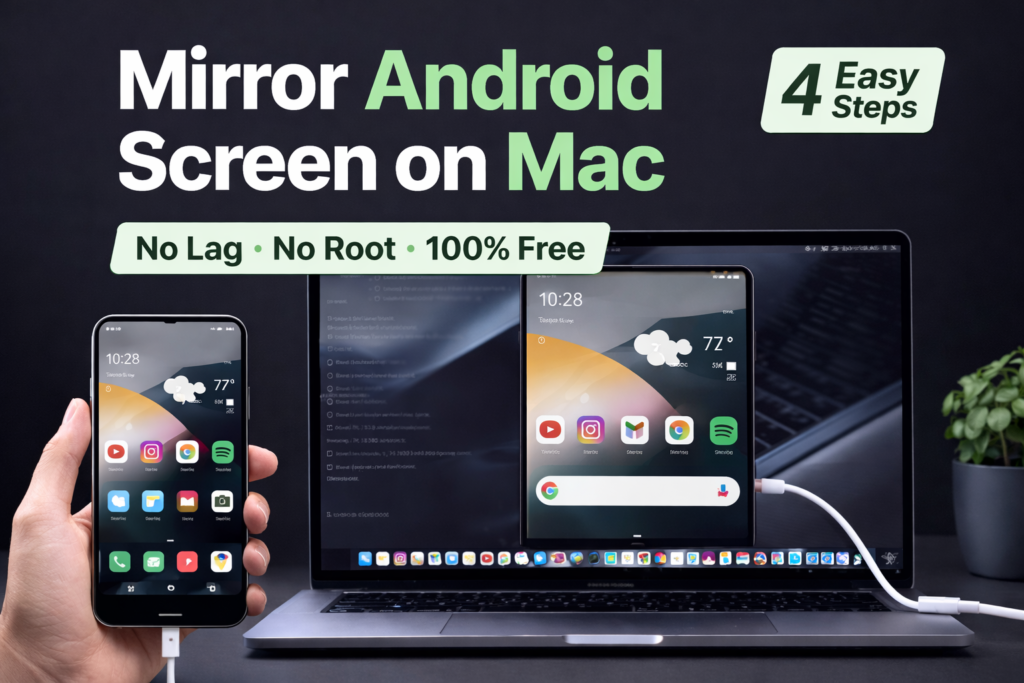
Mirror Android screen on Mac for free using scrcpy and control your phone directly from macOS with no lag or root access.Mirroring your Android screen on a Mac can be extremely useful for work, presentations, screen recording, replying to messages, or simply using your phone without constantly picking it up.
Many people assume you need paid software or complex tools, but the truth is you can mirror Android screen on Mac for free, with very low lag and without rooting your phone.
This guide explains the best free method that actually works.
Why Mirror Android Screen on Mac?
People mirror Android to Mac for many reasons:
- Reply to messages while working
- Record Android screen for tutorials
- Show apps during presentations
- Control phone using keyboard and mouse
- Avoid distractions from picking up the phone
When you mirror Android screen on Mac, you can reply to messages, record tutorials, and use apps without touching your phone.A good mirroring solution should be fast, safe, and easy to set up.
Best Free Tool to Mirror Android Screen on Mac
scrcpy (Open-Source & Free)
scrcpy is a powerful open-source tool that lets you mirror and control your Android device directly on macOS.
Why scrcpy is the best choice:
- Completely free and open source
- No ads, no watermark
- Very low latency (almost real-time)
- Works on macOS, Windows, and Linux
- Supports keyboard and mouse control
- Does not require root access
This is the same tool used by developers and power users.
Requirements Before You Start
Make sure you have:
- An Android phone (Android 5.0 or newer)
- A Mac (Intel or Apple Silicon)
- USB cable (for first setup)
- Basic access to Android settings
How to Mirror Android Screen on Mac Using scrcpy (Step-by-Step)
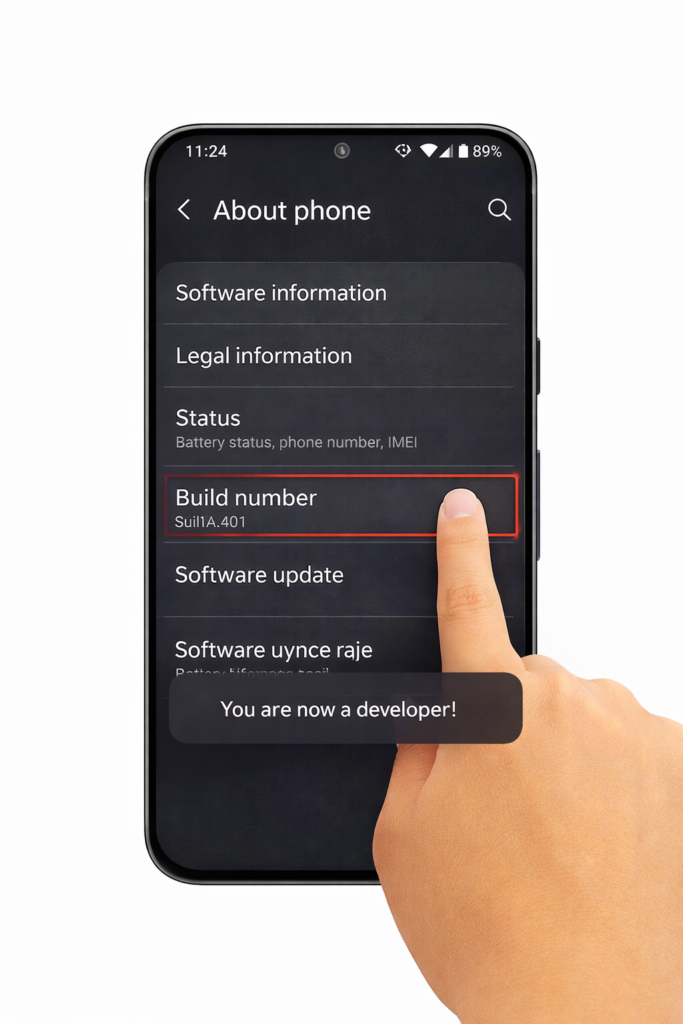
Step 1: Enable Developer Options on Android
- Open Settings → About Phone
- Tap Build Number 7 times
- You’ll see “Developer options enabled”
Step 2: Enable USB Debugging
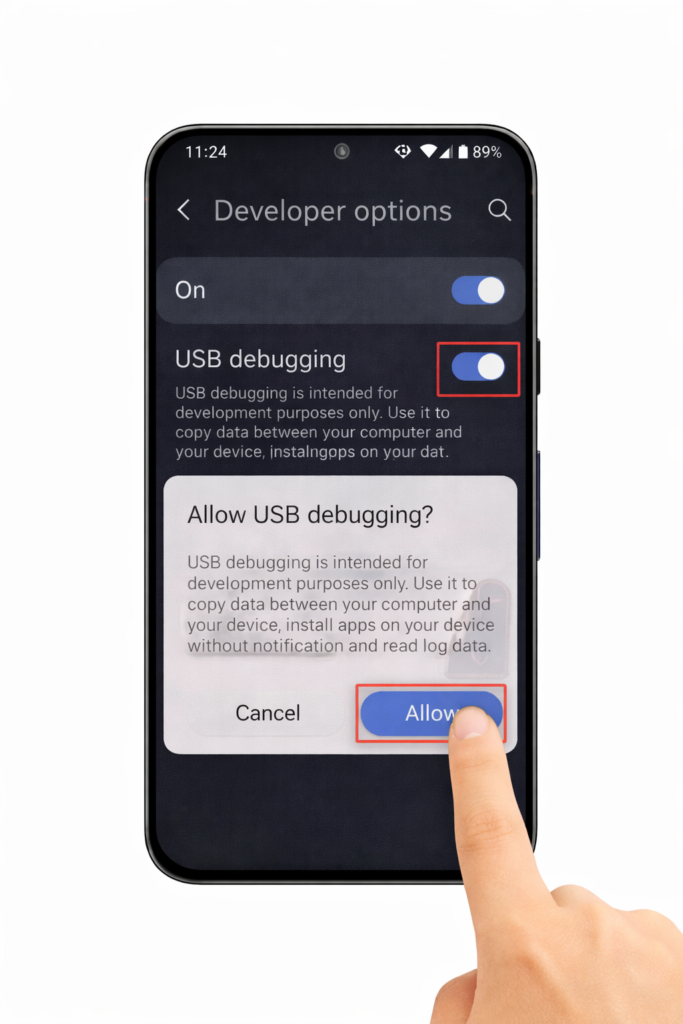
- Go to Settings → Developer Options
- Turn on USB Debugging
- Confirm the warning message
This allows your Mac to communicate with your phone.
Step 3: Install scrcpy on Mac
First, get scrcpy from its official website:
👉 https://scrcpy.org
scrcpy is a free and open-source Android screen mirroring tool that works perfectly on macOS.
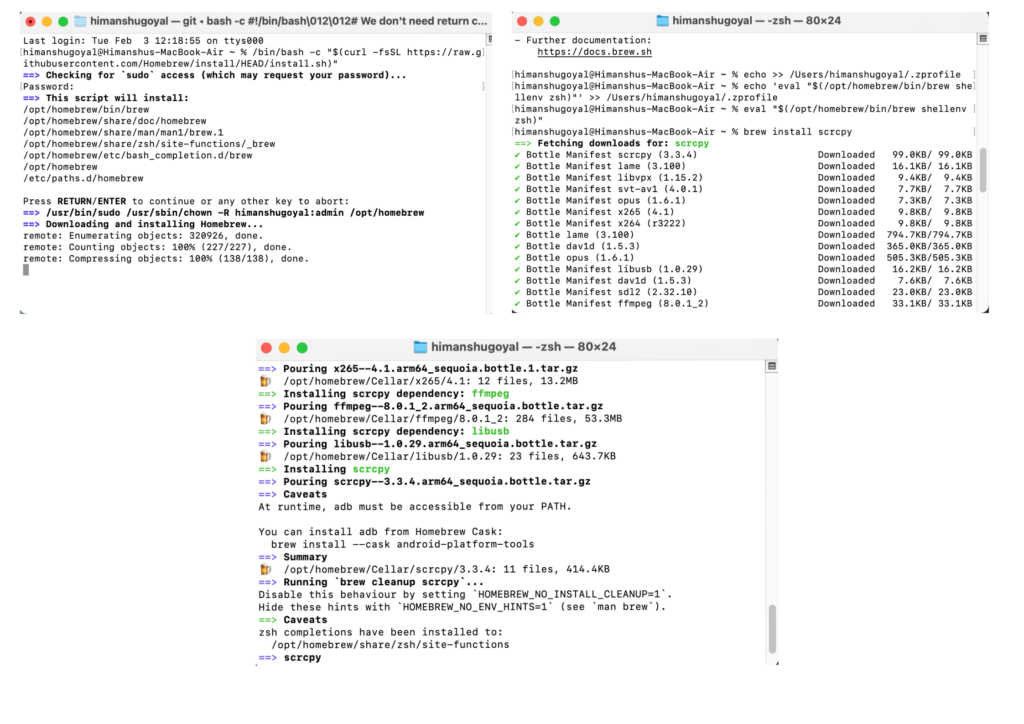
The easiest way to install scrcpy on a Mac is by using Homebrew, a popular package manager for macOS.
If Homebrew is not already installed, download it from the official website:
👉 https://brew.sh
Installing Homebrew is the first step to mirror Android screen on Mac using scrcpy.Just copy the installation command from the official Homebrew website, paste it into your Terminal, and follow the instructions shown on the screen. Once it’s done, you’re ready to install scrcpy on your Mac.
- Open Terminal on your Mac
- Run this command:
brew install scrcpy
Once installed, scrcpy is ready to use.
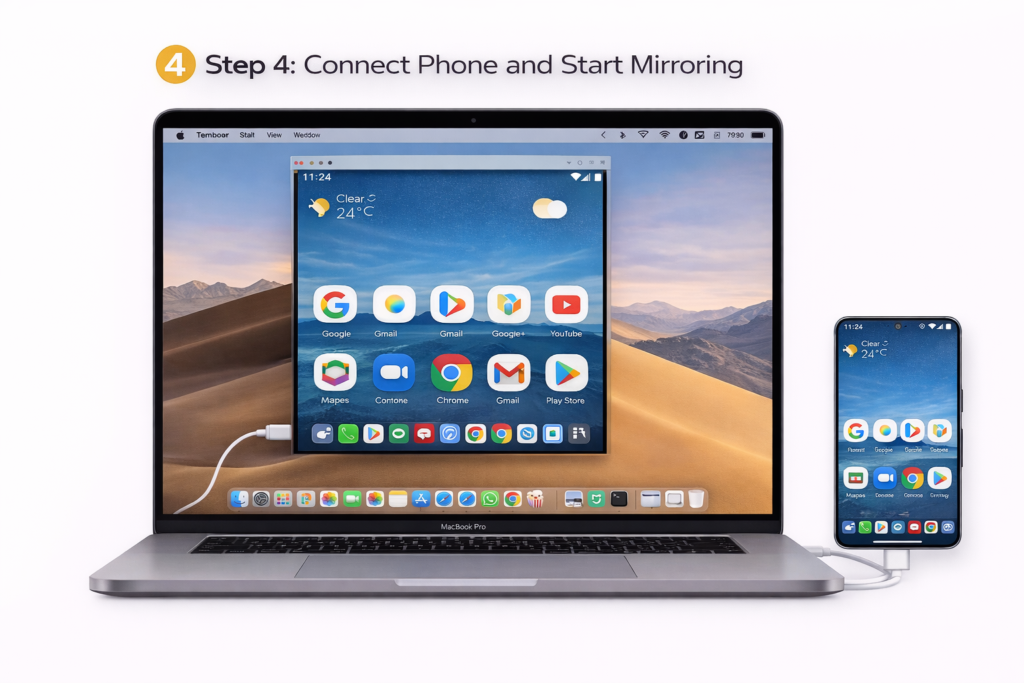
Step 4: Connect Phone and Start Mirroring
- Connect your Android phone to Mac using USB
- On your phone, allow USB Debugging permission
- In Terminal, type:
scrcpy
Your Android screen will instantly appear on your Mac.
You can now:
- Click
- Scroll
- Type using keyboard
- Control apps
Mirror Android Screen Wirelessly (Optional)
Once USB debugging is enabled, scrcpy also supports wireless mirroring.
Basic steps:
- Connect phone and Mac to same Wi-Fi
- Use USB once to enable wireless mode
- Disconnect USB and continue mirroring
Wireless mode is slightly slower than USB but still very usable.
Is scrcpy Safe?
Yes. scrcpy is considered very safe.
Why?
- Open-source (code is publicly available)
- No tracking or ads
- No cloud servers involved
- All communication happens locally
As long as you download it from official sources, it is completely safe to use.
Common Problems and Fixes
Phone Not Detected?
- Re-plug USB cable
- Re-enable USB Debugging
- Accept permission popup on phone
Black Screen?
- Unlock your phone
- Restart scrcpy
- Try a different USB cable
Lag Issues?
- Use USB instead of Wi-Fi
- Close heavy apps on phone
When This Method Is Best
scrcpy is ideal if you:
- Want a free solution
- Need low-lag mirroring
- Want keyboard & mouse control
- Don’t want to install shady apps
If you also transfer files frequently, combining this with LocalSend gives you a perfect Android–Mac workflow.
Final Verdict
If you want to mirror Android screen on Mac for free,For most users, scrcpy is the easiest way to mirror Android screen on Mac without paying for third-party software.
It’s fast, reliable, secure, and trusted by developers worldwide. Once set up, it completely changes how Android and Mac work together.
If you also need to send files wirelessly, check our guide on transferring files between Android and Mac for free.
If your apps fail to open or crash, read our complete Android app keeps crashing fix guide.
If you are also trying to use Android apps on your computer, read our complete guide on Run Android apps on Mac to understand what works and what doesn’t.
Pingback: Transfer Files Between Android and Mac Free in 3 Easy Steps (Open-Source & Easy)
Pingback: How to Record Screen on Mac (3 Built-In & Free Methods)