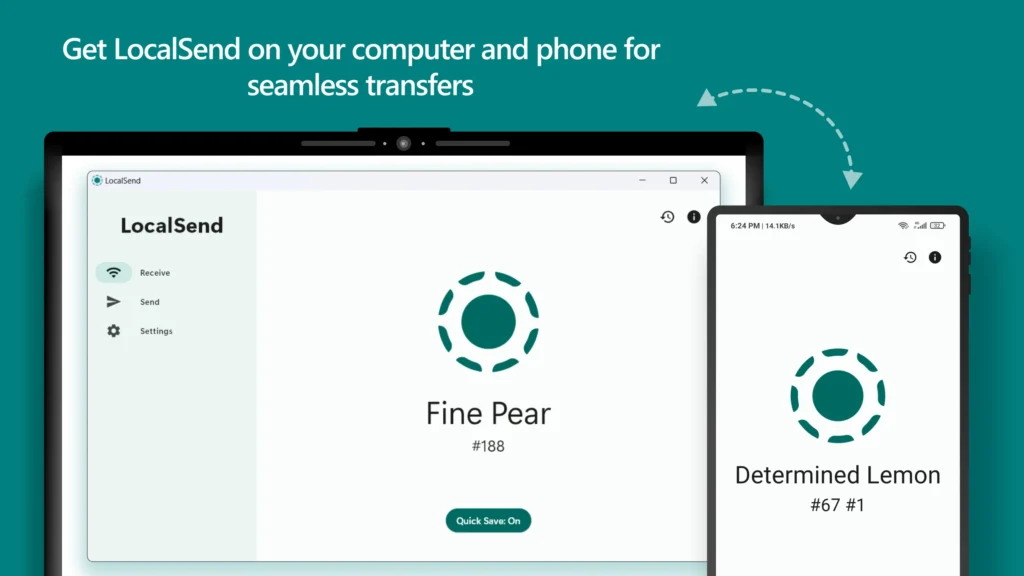
Transfer files between Android and Mac free without cables, internet, or cloud services by using LocalSend, a fast and open-source file sharing tool.
To Transfer files between android and mac free, many users look for a simple, fast, and secure solution that doesn’t rely on the cloud.
If you want a free, fast, and private way to transfer files, there is a simple open-source solution that works perfectly.
This article explains how to transfer files between android and mac free using LocalSend, a reliable open-source app.
LocalSend: Best Free App to Transfer Files Between Android and Mac
LocalSend is an open-source file sharing app that lets you transfer files between Android and Mac over your local Wi-Fi network.
It does not use cloud storage, does not require an account, and keeps all data on your devices.
Why LocalSend is Better Than Other Apps
Here’s why LocalSend stands out:
- ✅ Completely free and open source
- ✅ Works offline (same Wi-Fi network)
- ✅ No file size limits
- ✅ No ads or tracking
- ✅ Very fast transfer speeds
- ✅ Simple and clean interface
This makes it ideal for photos, videos, documents, APKs, and large files.
How to Transfer Files Between Android and Mac Free Using LocalSend (Step-by-Step)
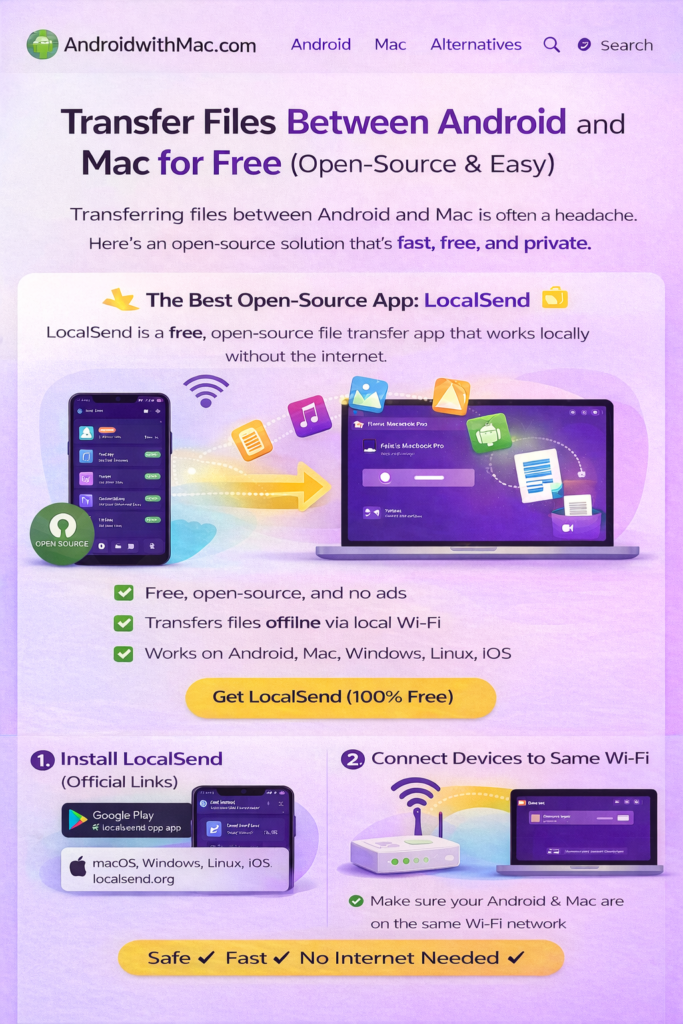
Step 1: Install LocalSend (Official Links)
🔹 Android (Google Play Store)
https://play.google.com/store/apps/details?id=org.localsend.localsend_app
🔹 macOS (Official Website)
https://localsend.org
🔹 Open-Source Code (GitHub)
https://github.com/localsend/localsend
👉 Always install from official sources only.
Step 2: Connect to the Same Wi-Fi
Make sure:
- Your Android phone
- Your Mac
are connected to the same Wi-Fi network.
Step 3: Send Files
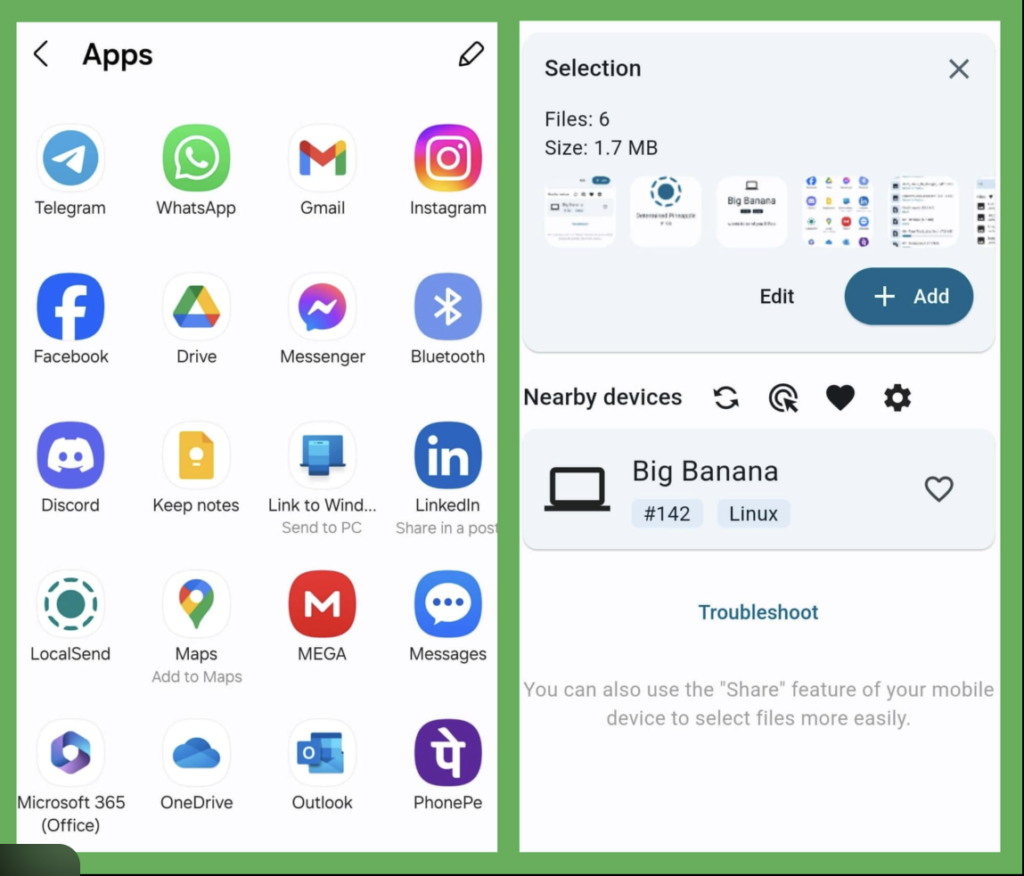
- Open LocalSend on Android
- Select files you want to send
- Choose your Mac from the device list
- Accept the transfer on your Mac
Files transfer instantly without internet.
Use LocalSend for One-Click Sharing Between Mac and Android
LocalSend becomes extremely powerful when it is added to macOS’s Share Menu. Once enabled, you can send files to your Android phone from any app on your Mac in just one click.
This means you don’t need to open LocalSend every time. You can send files directly from Finder, Safari, Photos, Notes, or any app that supports sharing.
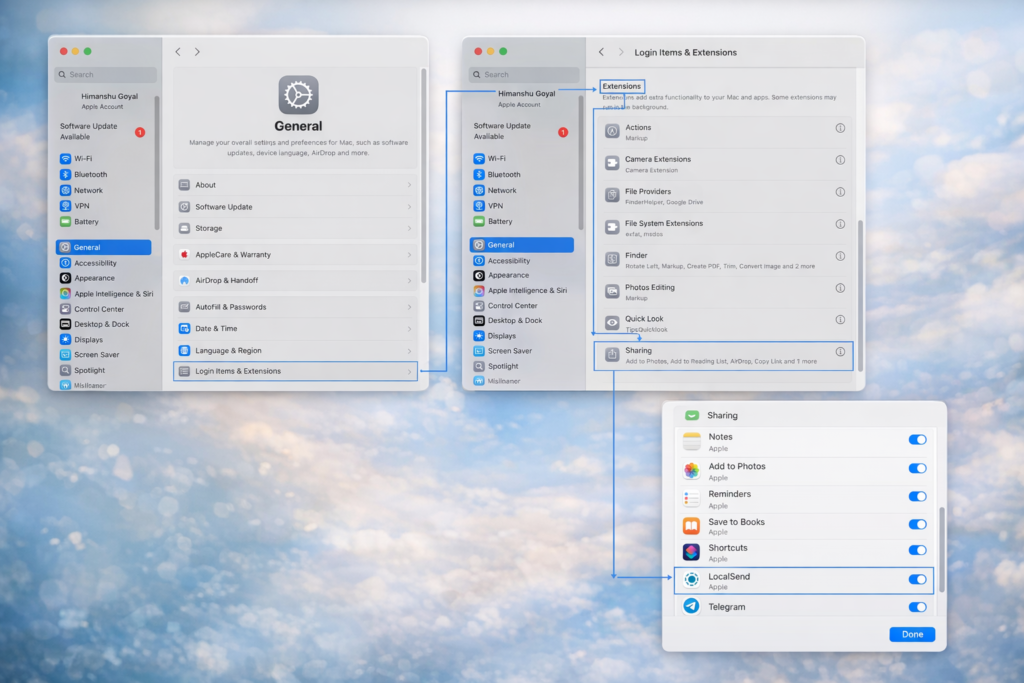
How to Add LocalSend to macOS Share Menu
- Install LocalSend on both your Mac and Android phone
- On your Mac, open System Settings
- Go to General → Login Items & Extensions → Sharing
- Enable LocalSend from the list
- Close Settings
Now whenever you:
- Right-click a file
- Click the Share button in Finder
- Use Share in Safari, Notes, or Photos
You will see LocalSend as an option.
Your new workflow becomes:
Right-click → Share → LocalSend → Choose your Android device → Done
This removes cables, drag-and-drop, and app switching. Android and Mac start feeling like one connected system.
Send Text from Mac to Android Using LocalSend
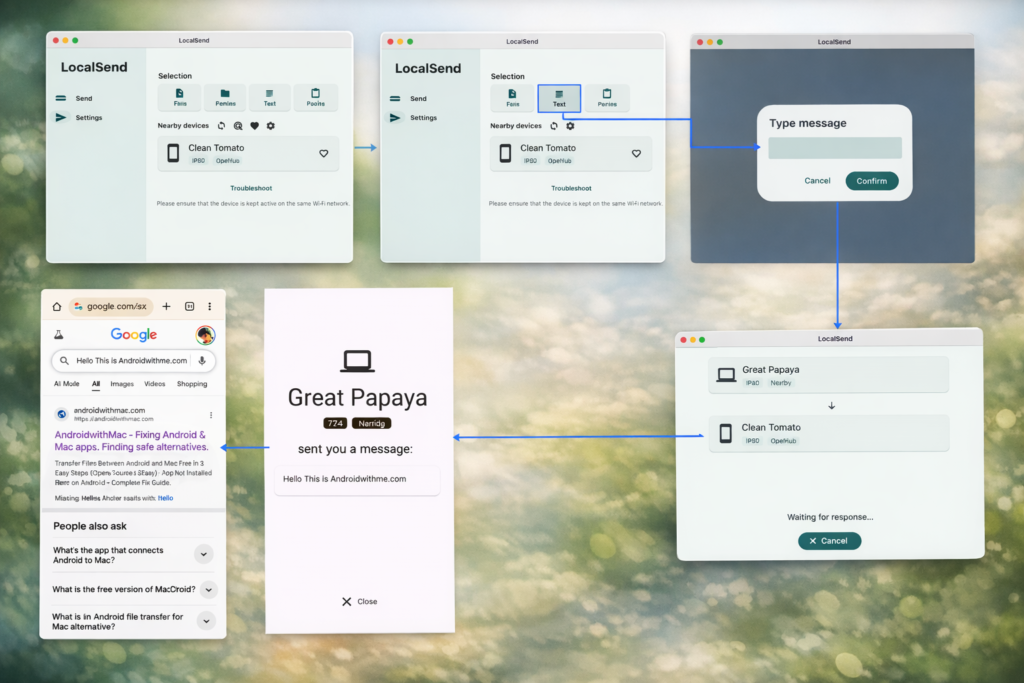
LocalSend is not limited to files. It can also send plain text instantly from your Mac to your Android phone.
This is perfect for:
- URLs
- OTP codes
- Short notes
- Commands
- Snippets of text
Instead of opening WhatsApp, email, or cloud notes, you can send text directly.
How to Send Text
- Open LocalSend on your Mac
- Choose the Send Text option
- Paste or type your text
- Select your Android device
- Tap Send
The text appears instantly on your phone and can be:
- Copied
- Shared
- Saved
- Used inside any app
This is faster than sending messages to yourself and works even without internet on the same Wi-Fi network.
With file sharing, one-click Share integration, and instant text transfer, LocalSend becomes a true bridge between Android and macOS.
Is LocalSend Safe?
Yes.Yes — LocalSend is one of the safest file-transfer apps available.
Why?
- The app is open source (anyone can review the code)
- No cloud servers are used
- No tracking or analytics
- Transfers happen only on your local network
For privacy-conscious users, this is a big advantage over cloud-based tools.
Final Verdict
If you want a simple, free, and open-source way to transfer files between Android and Mac, LocalSend is one of the best tools you can use today.
It’s fast, reliable, and respects your privacy — exactly what most users are looking for.
If you want to mirror your phone screen, see our guide on how to mirror Android screen on Mac using scrcpy.
If file installation fails, check our App Not Installed Error on Android – Complete Fix Guide.
Pingback: App Not Installed Error Android – Complete Fix Guide (2026)
Pingback: Mirror Android Screen on Mac – 7 Free Steps (No Lag, No Root)
Pingback: App Not Installed Error on Android – 5 Working Fixes (2026)
Pingback: 10 Best Open Source Tools for Mac Users (Free & Powerful)
Pingback: 3 Easy Ways to Completely Uninstall Apps on Mac (No Leftover Files)